A restaurant event hosting workflow is the structured sequence of operational steps that takes a private dining inquiry from first contact through post-event reconciliation, covering booking, contracts, kitchen prep, staffing, and payment. Without a defined workflow, even experienced teams lose bookings to faster competitors, misquote menus, and scramble on event day. The industry term for this process is event operations management, and it applies whether you are coordinating a 12-person corporate dinner or a 200-guest venue buyout. This guide breaks down every phase of that process, names the tools that make it work, and gives you the frameworks that separate high-performing restaurant event programs from chaotic ones.
What does an effective event hosting workflow in a restaurant require?
The foundation of any restaurant event planning program is a set of non-negotiable prerequisites. Before you accept a single booking, four systems must be in place: a response protocol, a contract framework, a staffing model, and a technology stack.
Response speed is the first filter. The industry standard for responding to private event inquiries is within 24 hours, and hosts typically contact three to five venues simultaneously. If you are not first or second to respond with a clear proposal, you are competing for the leftover decision. A CRM tool like HubSpot, Tripleseat, or Perfect Venue captures every inquiry and triggers an automated acknowledgment while your team prepares a full quote.
Contract infrastructure protects your revenue before the event starts. Sliding-scale deposit forfeiture clauses protect venue margins from cancellations, with 100% forfeiture applying within seven days of the event. The recommended deposit structure is 50% at booking with the balance due one week before the event, aligned with the final headcount deadline. Without these terms in writing, a last-minute cancellation becomes a direct loss.
Planning timelines vary by event scale. Minimum lead times are three to four weeks for standard private dining and six to eight weeks for major venue buyouts. Rushing either timeline compresses kitchen prep, staffing recruitment, and menu customization into a window that produces errors.
Pro Tip: Build a pre-qualification form into your inquiry page. Ask for event date, guest count, budget range, and catering preferences upfront. This filters out mismatched inquiries before your team spends time on a quote.
The technology prerequisites for a scalable workflow include a quoting engine, a CRM, an inventory management system, and an automation platform that connects them. Tools like Deelo, CaterZen, and Perfect Venue are built specifically for restaurant event management and integrate with most point-of-sale systems.
Step-by-step workflow for managing restaurant events
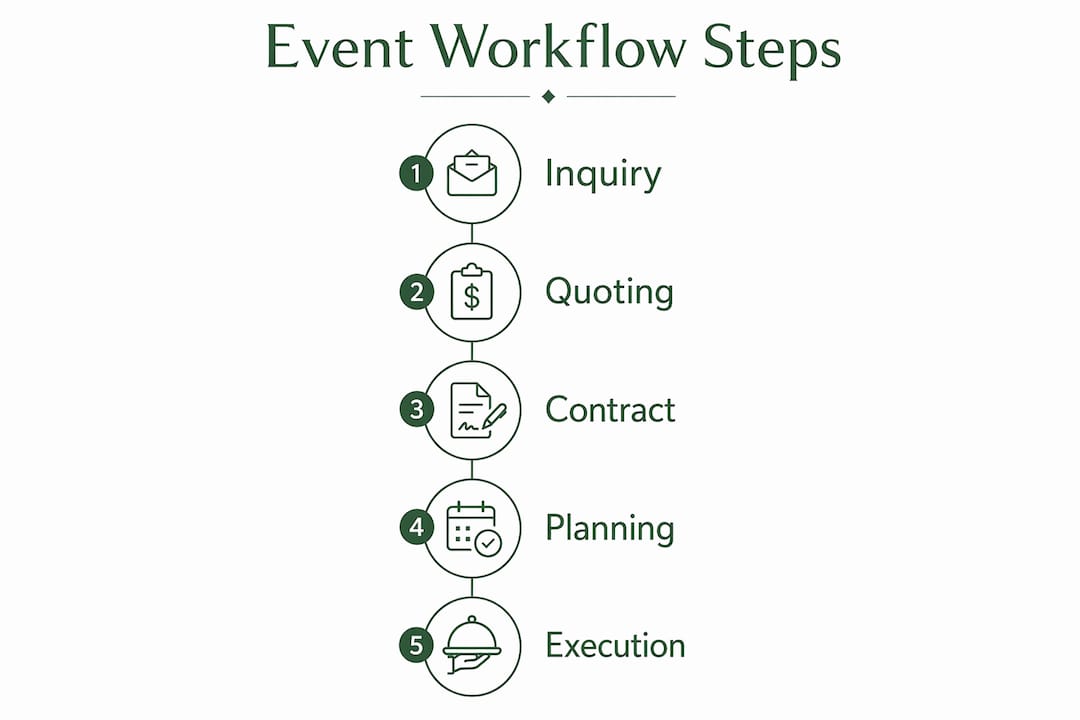
A complete event cycle spans from inquiry qualification through post-event reconciliation with critical checkpoints at each phase. Here is the sequence that high-performing restaurant event programs follow:
-
Inquiry receipt and qualification. The inquiry arrives via web form, phone, or email. Your CRM logs it automatically and sends an acknowledgment within minutes. A team member reviews the pre-qualification data and confirms the date is available.
-
Automated quoting. A quoting engine generates a proposal based on guest count, menu selection, and room configuration. This step eliminates the manual back-and-forth that delays decisions. Attach your group menu options directly to the proposal so the client can review pricing and dishes simultaneously.
-
Contract and deposit collection. Once the client accepts the proposal, the contract is generated with deposit terms, cancellation clauses, and final headcount deadlines pre-populated. The 50% deposit is collected at signing. No event goes on the calendar without a signed contract and cleared deposit.
-
Banquet Event Order creation. The Banquet Event Order, or BEO, is the single source of truth for every department involved in the event. It details the menu, room setup, staffing requirements, timeline, and any special requests. BEOs integrated with automation trigger kitchen prep, supply orders, and staffing schedules three to five days before the event, preventing last-minute chaos.
-
BEO sign-off cadence. The BEO milestone sign-off schedule runs at T-30, T-14, T-7, and T-2 days before the event. Each checkpoint requires sign-off from the event coordinator, kitchen lead, and front-of-house manager. This catches menu changes, headcount shifts, and room configuration updates before they become day-of surprises.
-
Staff scheduling and briefing. Staffing is assigned based on the BEO guest count and service style. A pre-event briefing, held the morning of or the evening before, covers the timeline, menu details, guest VIPs, and change order authority.
-
Event day execution. One designated contact manages all client-facing communication during the event. This person is the only team member authorized to accept change orders, preventing conflicting instructions from reaching the kitchen.
-
Post-event reconciliation. Final headcount is confirmed, any additions are invoiced, and the balance is collected. A follow-up message to the client within 48 hours captures feedback and opens the door for repeat bookings.
Pro Tip: Send the client a one-page event summary 48 hours before the event. Include the confirmed menu, timeline, and your on-site contact’s direct number. This single document eliminates 80% of day-of phone calls.
| Phase | Key output | Responsible party |
|---|---|---|
| Inquiry and quoting | Proposal with menu and pricing | Event coordinator |
| Contract and deposit | Signed contract, 50% deposit cleared | Event coordinator and finance |
| BEO creation and sign-off | Approved BEO at T-30, T-14, T-7, T-2 | All department leads |
| Kitchen and staffing prep | Inventory ordered, staff scheduled | Kitchen lead and floor manager |
| Event day execution | Flawless service, change orders managed | Designated on-site contact |
| Post-event reconciliation | Final invoice paid, feedback collected | Event coordinator |
How do automation tools improve restaurant event management?
Restaurants using catering automation systems process 40% more bookings with the same staff and reduce quoting errors by 85% compared to manual methods. That gap between manual and automated operations is not marginal. It is the difference between a restaurant event program that scales and one that plateaus at the coordinator’s personal bandwidth.
The core automation features that drive those results are:
- Automated quoting engines that generate proposals in minutes based on guest count, menu, and room selection
- Contract generation with pre-built legal language for deposits, cancellations, and liability
- Integrated invoicing that pulls BEO data directly into the final bill, eliminating manual entry errors
- Scheduling triggers that notify kitchen and floor staff when a BEO is finalized
- POS and inventory integration that adjusts stock orders automatically when a new event is confirmed
The comparison between manual and automated workflows is stark in practice. A manual process requires a coordinator to email a quote, wait for approval, manually draft a contract, follow up on the deposit, and then separately brief the kitchen. An automated workflow handles quoting, contract delivery, deposit collection, and kitchen notification as a single connected sequence. The coordinator’s role shifts from data entry to relationship management.
For volume guidance: restaurants running fewer than 20 events per month can manage with a tool like Tripleseat or Perfect Venue. Operations above that threshold benefit from a more integrated platform like Deelo or CaterZen, which connect directly with inventory and payroll systems. The restaurant event coordination guide at Elspescadors shows how a structured booking process translates directly into a better client experience.
Common challenges and expert tips for optimizing your workflow
The most frequent breakdown in restaurant event workflows is not a technology failure. It is a process failure at the human level, specifically around change orders, capacity decisions, and role clarity.
The change order problem is the most costly. Failing to own the change order process is the most common workflow mistake in restaurant event management. When multiple staff members accept verbal changes from a client during service, the kitchen receives conflicting instructions, the invoice becomes disputed, and the guest experience suffers. Assigning one authorized contact for all change orders during the event resolves this completely.
Capacity discipline protects your reputation. Strict capacity limits per event type protect service quality and prevent the reputational damage that comes from overbooking. A restaurant that can deliver a flawless 60-person dinner should not accept 90 guests to capture more revenue. The short-term gain is not worth the long-term cost to reviews and referrals. Elspescadors maintains defined capacity thresholds for its private event spaces in Barcelona precisely for this reason.
Operational role clarity prevents burnout. Restaurants must choose their operational model clearly: full event lifecycle management, where the restaurant handles everything from florals to AV, or venue-only mode, where the restaurant provides the space and food while the client manages all other vendors. Trying to operate in both modes simultaneously without defined boundaries creates staff burnout and misaligned client expectations.
“Focusing on defined service capacity rather than volume is what separates restaurants that build lasting event reputations from those that chase every booking and deliver none of them well.”
The BEO sign-off cadence is your quality control system. Teams that skip the T-14 or T-7 checkpoints consistently report more day-of surprises. The four-milestone sign-off process at T-30, T-14, T-7, and T-2 days is not bureaucracy. It is the mechanism that keeps a 200-person event from discovering a menu misprint at 6 p.m. on a Friday.
A well-structured corporate events planning guide addresses all of these pressure points before they become problems.
Key takeaways
A restaurant event hosting workflow succeeds when inquiry response, contract infrastructure, BEO sign-off cadence, and automation tools operate as a single connected system rather than isolated tasks.
| Point | Details |
|---|---|
| Respond within 24 hours | Hosts contact three to five venues; first clear proposal wins the booking most often. |
| Lock in contracts before calendar entry | Collect 50% deposit at signing with sliding-scale forfeiture clauses to protect revenue. |
| Use BEO sign-off milestones | Review at T-30, T-14, T-7, and T-2 days to catch changes before they become day-of crises. |
| Automate quoting and kitchen triggers | Automation reduces quoting errors by 85% and increases booking capacity by 40%. |
| Assign one change order contact | A single authorized on-site contact eliminates conflicting instructions during service. |
Why most restaurant event programs fail before the event starts
After working through dozens of restaurant event programs, the pattern is consistent. The operational failures that show up on event day were almost always created three weeks earlier, in the gap between inquiry and contract. Teams that skip the pre-qualification step waste hours quoting events that were never serious leads. Teams that delay contract signing lose the deposit leverage that protects them from cancellations. And teams that treat the BEO as a formality rather than a live coordination document arrive on event day with a kitchen that was briefed on last week’s menu.
The automation tools available in 2026, from Deelo to CaterZen to Perfect Venue, have removed most of the manual friction from the early workflow stages. What they cannot fix is a team that has not agreed on who owns each step. The restaurants I have seen run the most consistent event programs are not necessarily the ones with the most sophisticated software. They are the ones where every team member knows their role, the BEO is treated as sacred, and the change order process has exactly one owner.
The other underrated factor is the profit margin discipline that comes from planning timelines. The recommended 15 to 25% profit margin per event is only achievable when you are not absorbing last-minute supply orders, overtime staffing, or disputed invoices. Those costs are almost always the result of a compressed or skipped planning phase. Build the timeline into your intake form and hold the line on minimum lead times. Clients who push back on a three-week minimum for a private dinner are usually the same clients who will change the menu twice and dispute the final invoice.
— YellowRock
Plan your next event at Elspescadors
Elspescadors brings the same operational discipline described in this guide to every private event at its historic Poblenou location in Barcelona. The restaurant’s event program is built around defined capacity, pre-set menu options, and a structured inquiry-to-execution process that removes the guesswork for planners.
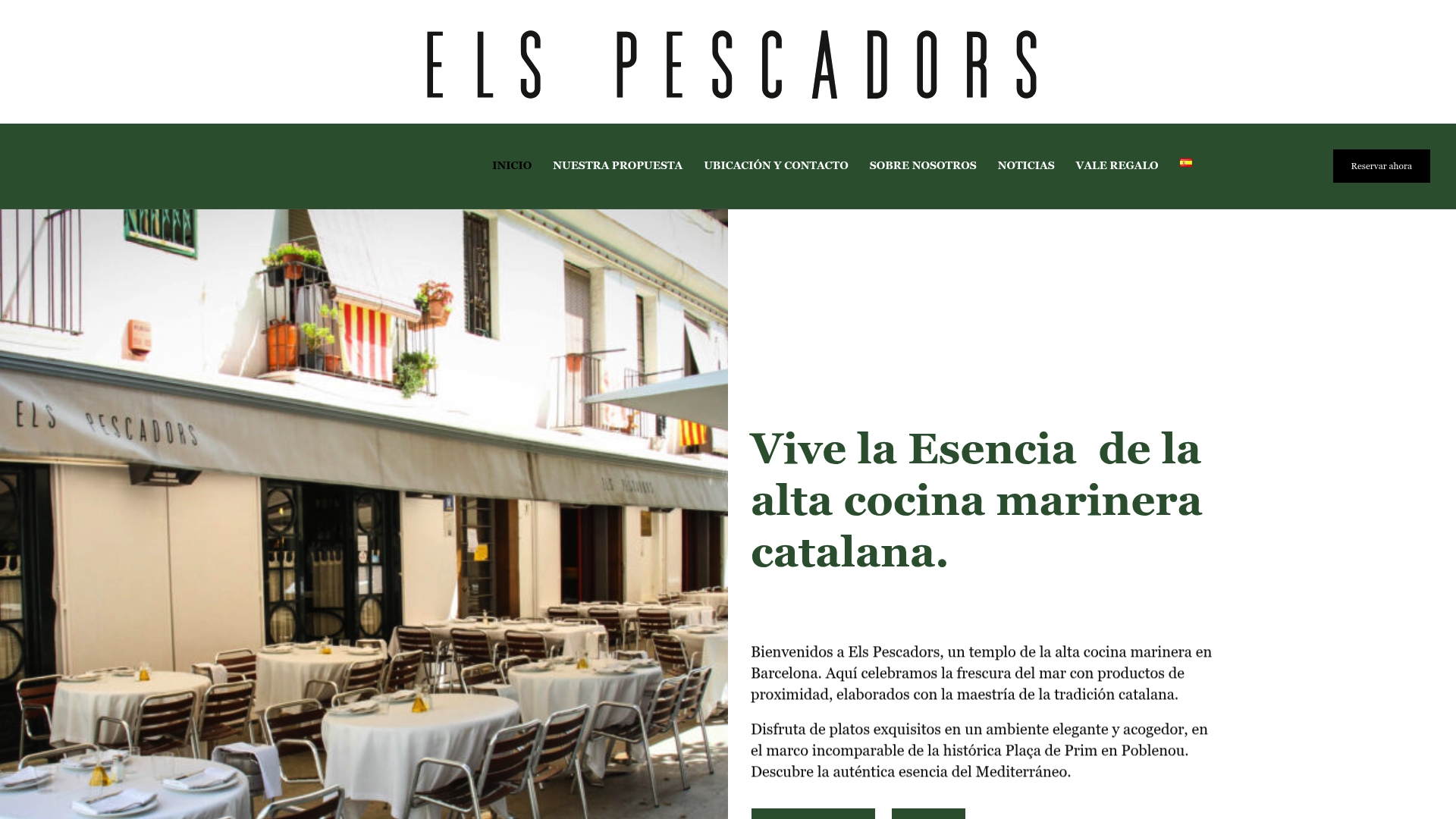
Whether you are organizing a corporate dinner, a family celebration, or a group tasting experience, Elspescadors provides tailored menus, dedicated coordination, and a setting that delivers on every detail. Explore the full event hosting proposal to review available spaces, group menus, and booking terms. For groups, the group dining options page gives you a direct look at what a premium Catalan seafood event looks like in practice. Contact the team directly to start your inquiry and receive a proposal within 24 hours.
FAQ
What is a restaurant event hosting workflow?
A restaurant event hosting workflow is the end-to-end operational process covering inquiry qualification, quoting, contracting, BEO creation, kitchen prep, event execution, and post-event reconciliation. It defines who does what at each stage to deliver a consistent guest experience.
How far in advance should you book a private restaurant event?
The minimum planning timeline is three to four weeks for standard private dining and six to eight weeks for major venue buyouts, according to industry best practices. Shorter lead times compress kitchen prep and staffing, increasing the risk of errors.
What deposit should a restaurant require for a private event?
The standard deposit is 50% at booking with the remaining balance due one week before the event. Contracts should include sliding-scale forfeiture clauses, with 100% forfeiture applying to cancellations within seven days of the event.
What is a Banquet Event Order and why does it matter?
A Banquet Event Order, or BEO, is the master document that details the menu, room setup, staffing, timeline, and client requirements for a specific event. BEOs integrated with automation systems trigger kitchen prep and staffing schedules three to five days before the event, preventing last-minute operational failures.
How does automation improve restaurant event management?
Restaurants using catering automation systems process 40% more bookings with the same staff and reduce quoting errors by 85% compared to manual workflows. Automation connects quoting, contracts, invoicing, and kitchen scheduling into a single sequence that reduces coordinator workload and client wait times.